GPT Image 2.5 Online Generator
Describe what you want in one sentence and AGI Come turns it into a poster, product image, magazine cover or infographic with GPT Image 2.5. No ChatGPT account needed — you get 50 free credits on sign-up, about 5 images.

Made with GPT Image 2.5
Every image below was generated on AGI Come. The full prompt is included — tap to generate with it.
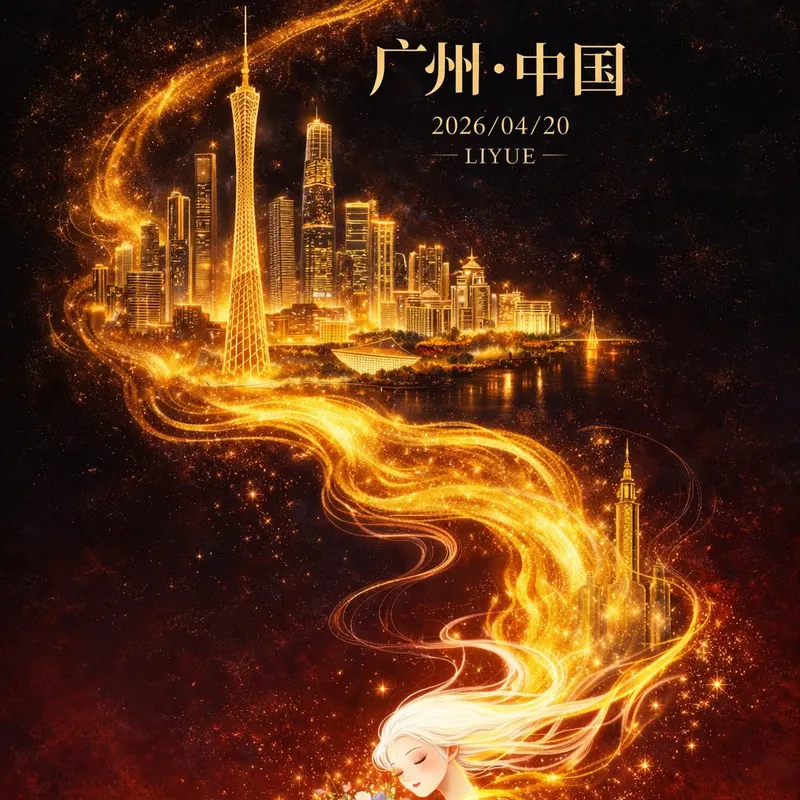
Flat illustration, Eastern-fantasy premium poster of Guangzhou, vertical 9:16. Deep black gradient to dark red; a golden flowing energy line winds up from the bottom like flame, with fluid texture and particle glow. Guangzhou landmarks (Canton Tower, CBD towers, Pearl River) emerge in fine gold line art. At the bottom, an Eastern woman with long flowing white hair holds colorful flowers. Centered serif title “广州·中国”. Gilded key visual, cinematic lighting.
Generate with this prompt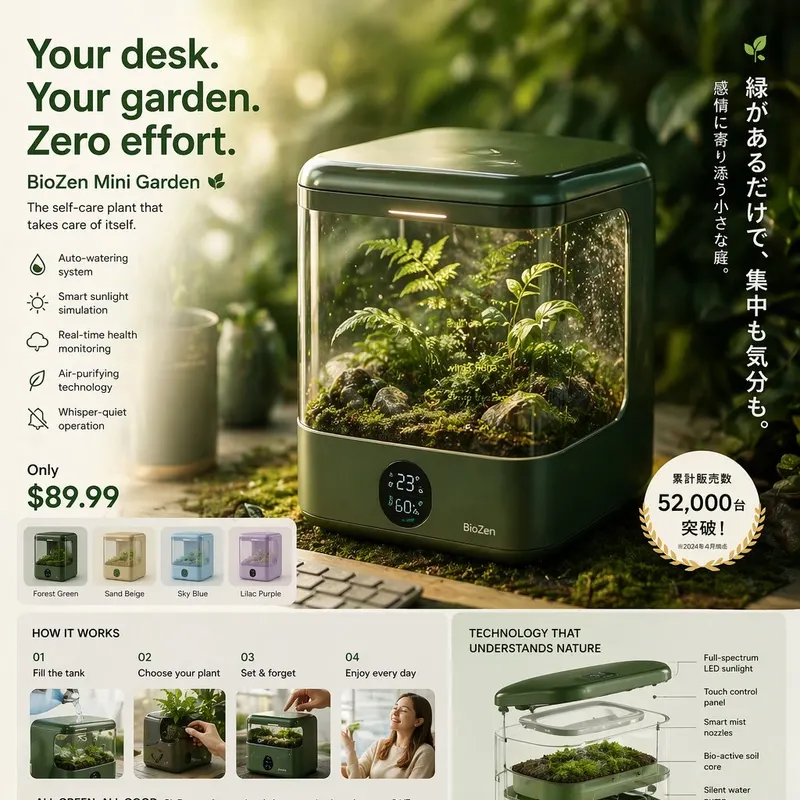
Hyper-realistic Japanese-future product ad with crazy micro detail, cinematic lighting, floating / transparent display and a few short Japanese taglines.
Generate with this prompt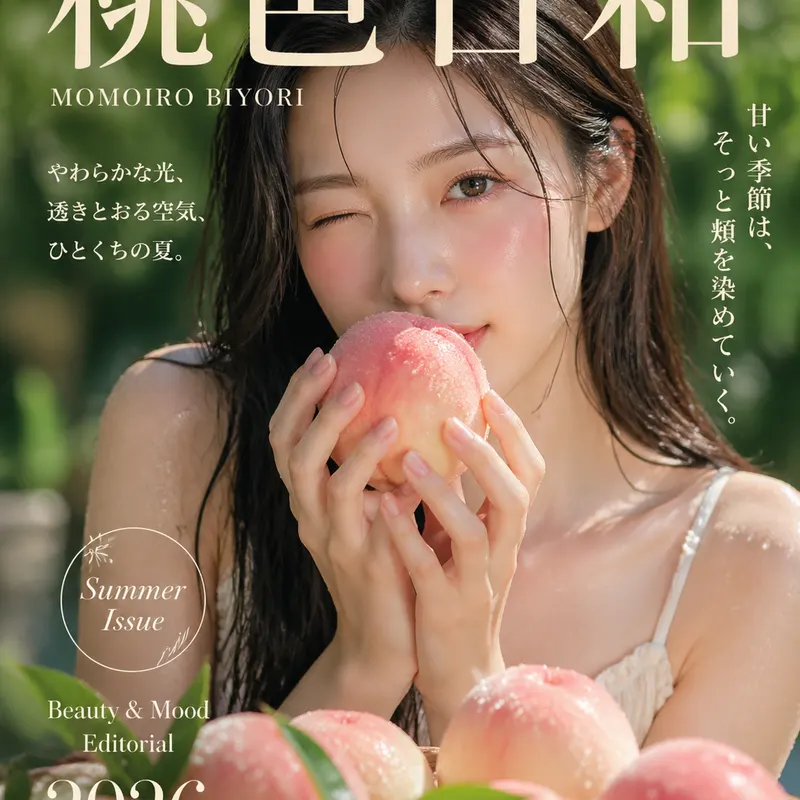
Premium Japanese photo-magazine cover, 3:4 portrait, a woman in her twenties holding a white peach, creamy orchard bokeh, title “桃色日和 MOMOIRO BIYORI”, soft cinematic light, realistic skin texture.
Generate with this prompt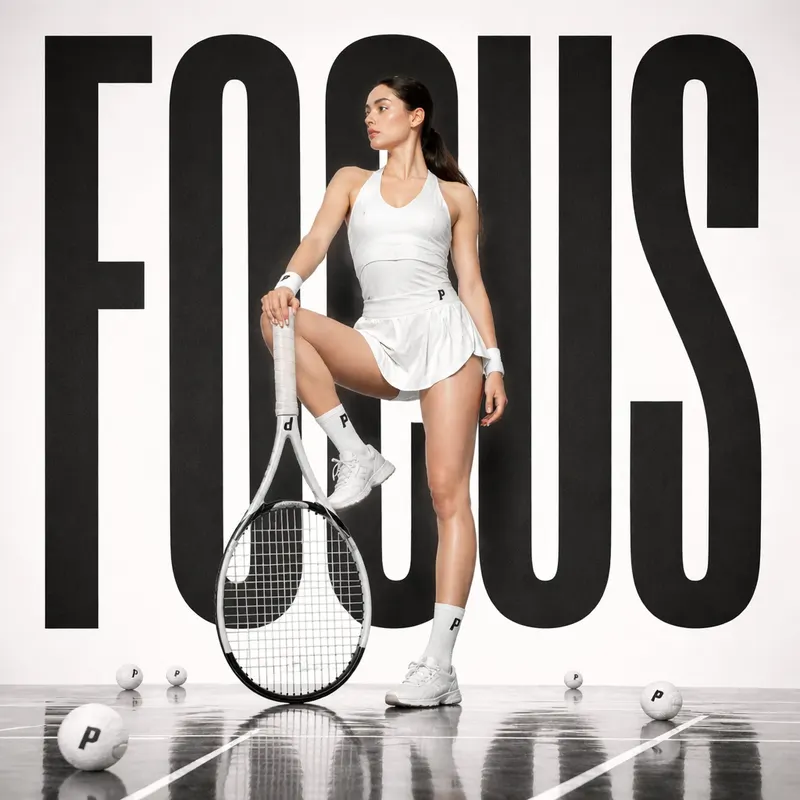
Sports fashion poster, a single Asian female tennis model in a white pro tennis outfit holding a racket in a confident pose, reflective matte court floor, cream background with oversized black sans-serif “FOCUS”, a few tennis balls on the ground, editorial lighting, square composition.
Generate with this promptWhat you can do with GPT Image 2.5 on AGI Come
Text to image
Describe the picture in plain language — posters, product shots, renders, magazine covers and infographics. Choose 4:3, 1:1, 9:16, 16:9 and more, at 1K, 2K or 4K.
Edit with reference images
Upload up to 16 references and say what to change, e.g. “put the product from image 1 into the scene from image 2”. Thumbnails are labelled image 1, image 2 so you can refer to them directly.
Circle what to change
For local edits, draw a circle or box on the reference and add a note. Only the marked area is changed — no need to describe positions in words.
2 or 4 images at once
Run one prompt several times in a single go and keep the best. References upload once and results sit side by side.
A whole set from one prompt
Ask for “a set of 4 café opening posters” and review a plan for each image first — credits are only used once you confirm. For a consistent look, image 1 goes first and the rest follow it.
4K upscale and image to video
Upscale a favourite to 4K in one click, or turn it into a video: the image becomes the first frame and one sentence describes the camera move.
Before and after
Left is the original; right is the result of the one-sentence instruction below. The product stays the same.
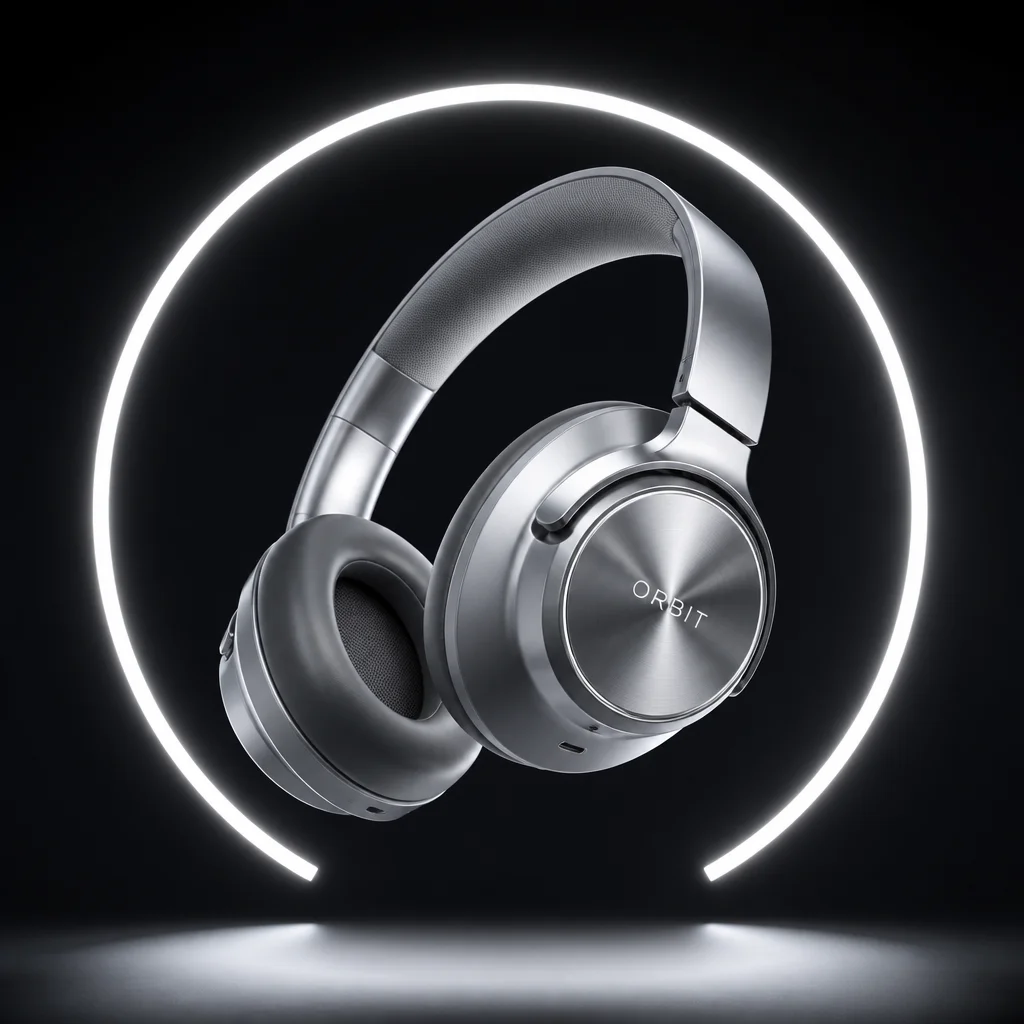
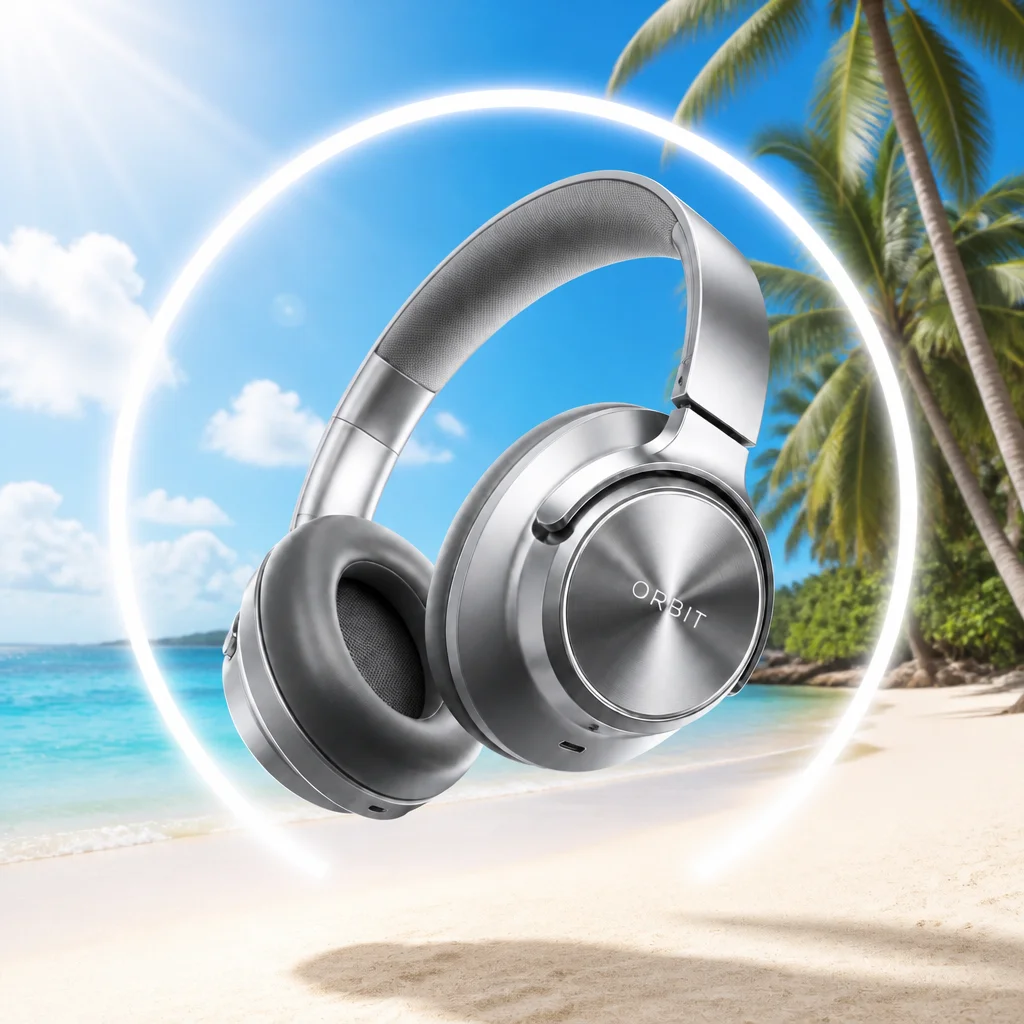
“Swap the background for a sunny beach and blue sky; keep the product unchanged”
Three steps
- 01
Describe it
Say what to draw and where it will be used; put any exact text in quotes. Upload references if you are editing your own image.
- 02
Pick format and resolution
Choose the aspect ratio for the use (9:16 for phone wallpapers, 16:9 for banners), then 1K, 2K or 4K.
- 03
Generate, pick, refine
A 1K image usually takes about half a minute. Not quite right? Run it again, or circle the part to change.
5 tips for better GPT Image 2.5 prompts
Drawn from the most common reasons our users re-run a prompt.
1. Lead with the purpose
“Product listing image”, “blog header” or “event poster” shapes layout and white space more than a pile of adjectives.
Instagram post, 4:5, space at the top for a headline, an iced americano as the hero
2. Put exact text in quotes
Quote the headline word for word and say where it goes and in what style.
Centered at the top: “SUMMER SALE” in bold condensed sans-serif, date in small type below
3. When editing, say what stays
“Change the background” alone may change the product too. Spell out what must not move.
Swap the background for a sunny beach; keep the product shape, colors and logo unchanged
4. Use concrete style references
“Premium” is vague. Materials, lighting and lens details get you closer.
Studio shot, soft side light, frosted glass bottle, shallow depth of field, cream backdrop
5. For a set, state the count
Say how many images, what each one is, and what should stay consistent.
A set of 4 seasonal posters — spring, summer, autumn, winter — same minimalist layout
Pricing
- 1K image
- 10 credits
- 2K image
- 20 credits
- 4K image
- 30 credits
- On sign-up
- 50 free credits (about five 1K images)
- Credit packs
- From $9 for 1,000 credits — about $0.055–0.09 per 1K image
Failed generations are refunded automatically. Packs are one-time purchases, never a subscription.
GPT Image 2.5 FAQ
Is every image made with GPT Image 2.5?+
The vast majority are. When the GPT Image 2.5 channel is busy we automatically fall back to GPT Image 2 so your image still gets made, at the same credit cost.
Do I need a ChatGPT account or ChatGPT Plus?+
No. Sign up on AGI Come with email or phone and start right away; pay by card.
How long does one image take?+
Based on the last two weeks of live data: about half a minute at 1K, a little longer at 2K, and about a minute at 4K.
Which sizes are supported?+
4:3 portrait, 1:1 square, 4:3 landscape, 9:16 and 16:9, at 1K, 2K or 4K. 4K is available for 3:4, 4:3, 9:16 and 16:9.
Am I charged if a generation fails?+
No — credits are refunded automatically. If an image was generated but fails to load, you will see a separate notice with a reload button.
Can I use GPT Image 2.5 images commercially?+
Yes. Subject to our Terms of Service, you can use them for marketing posters, product photos, ads and other commercial work. Don’t generate other people’s trademarks, well-known characters or artwork without permission, and check any text and figures before publishing.
Does it work on mobile?+
Yes. Open it in any mobile browser; there is an Android app, and on iPhone you can use “Add to Home Screen” in Safari.
Try GPT Image 2.5 now
Look around the workspace without signing up; you only sign up when you generate. 50 free credits on sign-up.
Image generation is powered by OpenAI's gpt-image-2.5 / gpt-image-2 models, accessed through authorized API providers. 4K upscaling is provided by AuraSR from fal.ai. AGI Come is an independent third-party product and is not affiliated with, endorsed by, or sponsored by OpenAI or fal.ai.